Activity Log
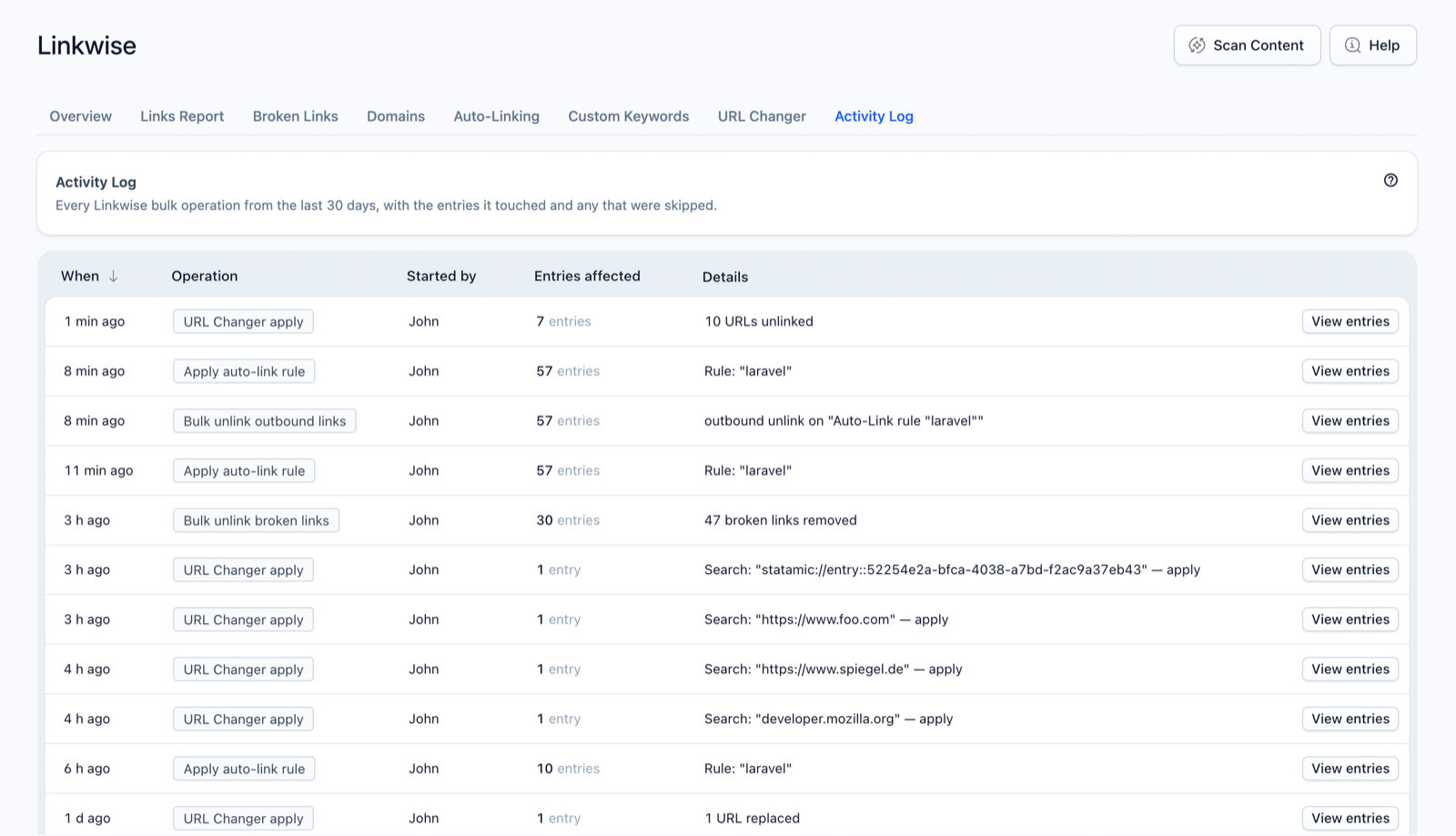
The Activity Log is a record of every bulk operation Linkwise has run — what happened, when, to which entries — so there's always an audit trail behind automated changes.
What it does
Whenever you apply an auto-link rule, run a URL rewrite, bulk-unlink, or insert suggested links, Linkwise logs it. The Activity Log lets you look back at exactly which entries an operation touched and which it skipped.
How it works
Each bulk operation records:
- When it ran and what kind it was (apply rule, URL changer, bulk unlink, link insert, …).
- The entries affected and the entries skipped, with the reason for each skip (e.g. "already linked", "modified by another editor").
- A snapshot of the entries involved (IDs and content hashes), kept as a forensic reference for the operation.
Entries are kept for 30 days and then pruned automatically, so the log stays relevant without growing without bound.
Using it in the Control Panel
- Open Linkwise → Activity Log for the chronological list of recent operations.
- Click View entries on any operation to open its detail — the full list of affected and skipped entries, with skip reasons.
Settings
No configuration-file options. Snapshot retention is fixed at 30 days, after which entries are pruned automatically.
Notes & limits
- The log is a record, not an undo button — it tells you what changed so you can verify or investigate. To reverse a change, edit the affected entries (or run a corrective URL Changer / unlink).
- Snapshots live in
storage/linkwise/on your server, like all Linkwise data. - Entries older than 30 days are removed automatically; export anything you need to keep longer.