Domains
The Domains tab governs the rel attribute on your external links — per domain, in one place — so you don't hand-edit nofollow on every link.
What it does
Set rel="nofollow", "sponsored", or "ugc" once for a domain, and every external link to that domain gets it — current links and future ones alike.
How it works
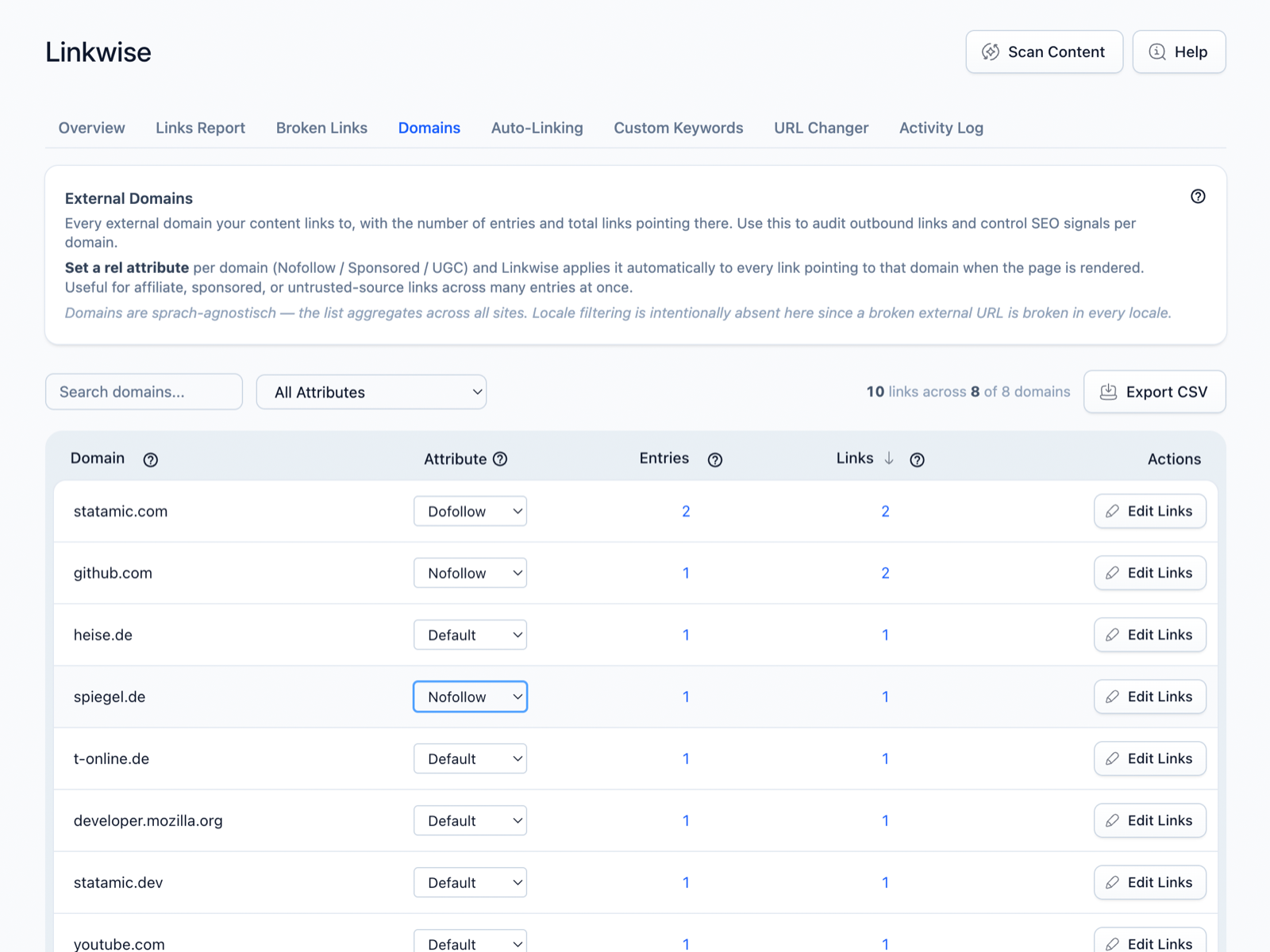
Linkwise lists every external domain your content links to, with a link count. You assign a rel value per domain. The attribute is applied at render time through a Bard link-mark extension:
- Your stored content stays untouched — Linkwise doesn't rewrite your entries to add
rel. - Because it's applied on render, changing a domain's rule updates every existing link to that domain immediately, with no re-save or re-scan.
Using it in the Control Panel
- Open Linkwise → Domains to see all external domains and their link counts.
- Set the
relvalue for a domain inline. - Export the list as CSV if you need it. The Edit action can hand a domain off to the URL Changer when you want to change the URLs themselves, not just their
rel.
Settings
No configuration-file options — rel values are assigned per domain in the Control Panel and applied at render time.
Notes & limits
- Affects external links only. Internal links between your entries aren't given
relattributes. relis applied to links rendered through Statamic's Bard/markdown pipeline.- Changing a rule is retroactive and instant — there's nothing to re-apply.