Broken Links
Linkwise scans the external links across your site, tells you which ones are dead, and lets you fix them in place — without opening each entry.
What it does
It finds external URLs that no longer work — 404s, expired domains, certificate failures, timeouts — and groups them so you can replace, ignore, or remove them in a few clicks.
How it works
For every external link Linkwise makes an HTTP request and classifies the result:
- A fast
HEADrequest first; if the server rejectsHEAD(many WAFs and CDNs do), it confirms with aGETbefore flagging anything — so HEAD-hostile hosts aren't reported as broken by mistake. - Failures are classified as not found (404 and similar client errors), forbidden (401/403), server error (5xx), timeout, SSL error, or connection/DNS failure.
- Transient failures are retried (twice by default). A momentary timeout or refused connection is not cached as broken — the next scan re-checks it, so a blip doesn't pin a working link as dead. Authoritative results (a real 404) are cached against the entry's content hash so re-scans stay fast.
- The first-detected date is preserved across scans, so you can see how long a link has been broken.
Using it in the Control Panel
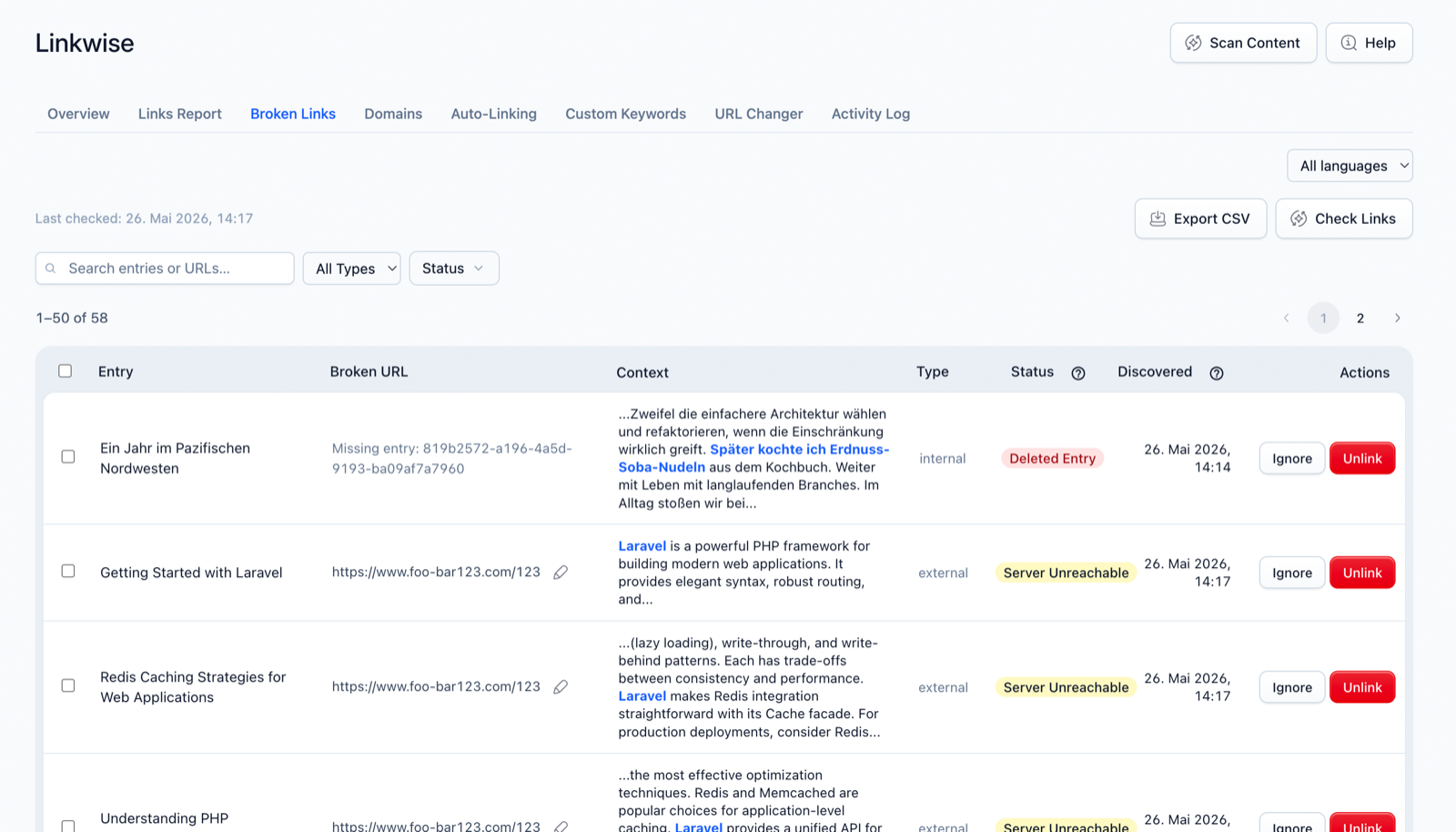
- Open Linkwise → Broken Links and click Check Links. The scan runs in the background and is cancellable on large sites.
- Review the results, grouped by entry. Each row shows the URL, the error type, and where it appears.
- For each broken link, choose inline:
- Replace — enter a new URL; Linkwise rewrites the link in place.
- Ignore — mark a false positive so it stops appearing.
- Unlink — remove the link, keeping the anchor text.
- Select several and bulk-unlink them in one operation. Export the report as CSV. On multilingual sites, filter by locale.
Settings
| Option | Default | Effect |
|---|---|---|
broken_links.timeout | 10 | Seconds to wait per request. |
broken_links.retries | 2 | Retries before declaring a transient failure broken. |
ignored_links | '' | Newline-separated URL patterns to skip (never reported). |
ignored_links patterns match the full URL and support * as a wildcard. To ignore every link to a domain, use *example.com* — a bare example.com won't match https://example.com/page.
Notes & limits
- Only external links are checked here. Internal links pointing at missing/unpublished entries surface through the index, not this scan.
- A flaky target can produce a transient error one scan and clear the next — that's by design; re-run Check Links if a result looks wrong.
- Replacing a URL here changes the link in your content; the change is recorded in the Activity Log.