Links Report
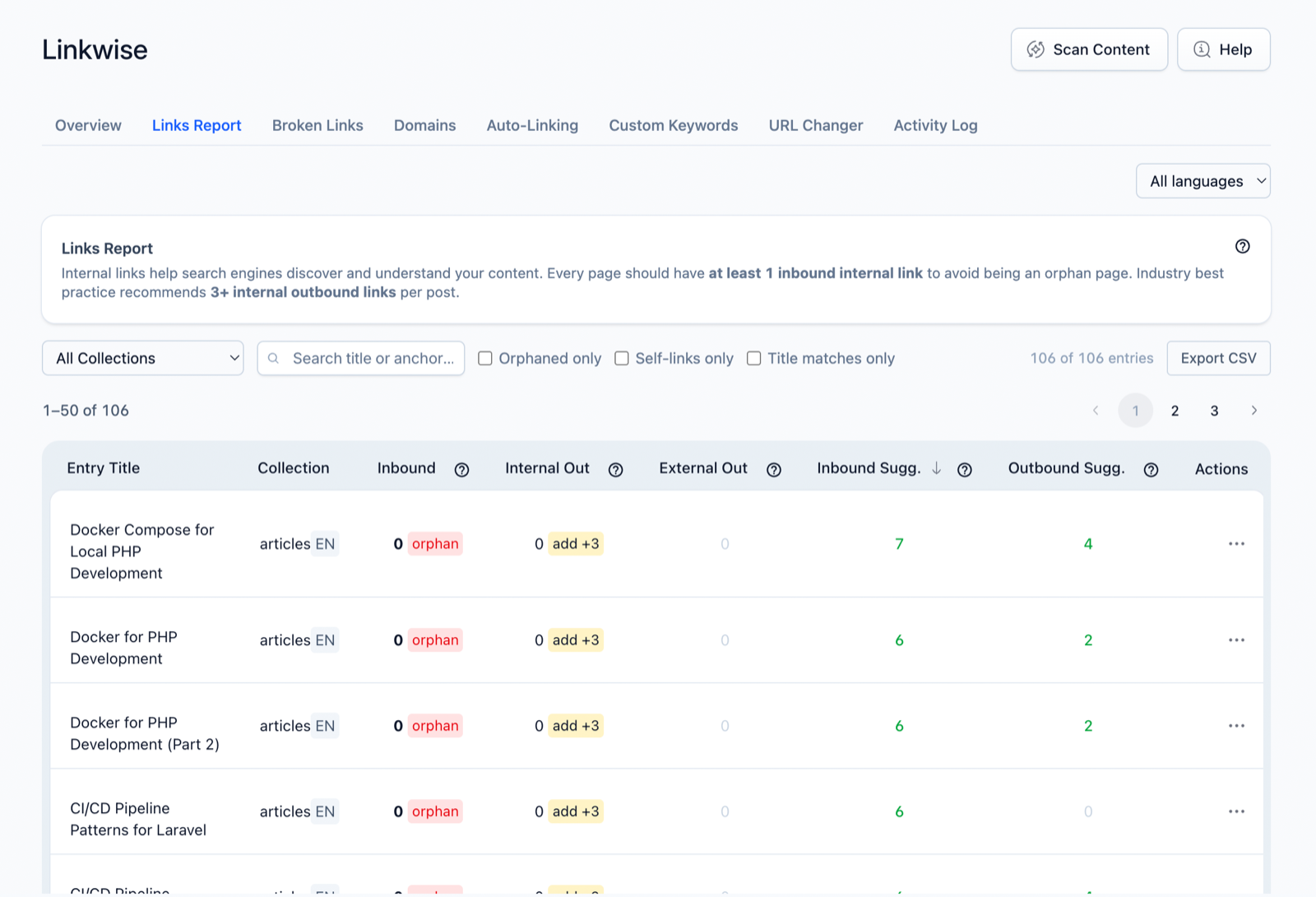
The Links Report is Linkwise's core screen: for every entry it lists the internal-link suggestions Linkwise found — in both directions — and lets you review and insert them without hand-editing content.
What it does
For each entry Linkwise surfaces two kinds of candidate:
- Outbound — links this entry could add to other entries.
- Inbound — links other entries could add pointing to this entry.
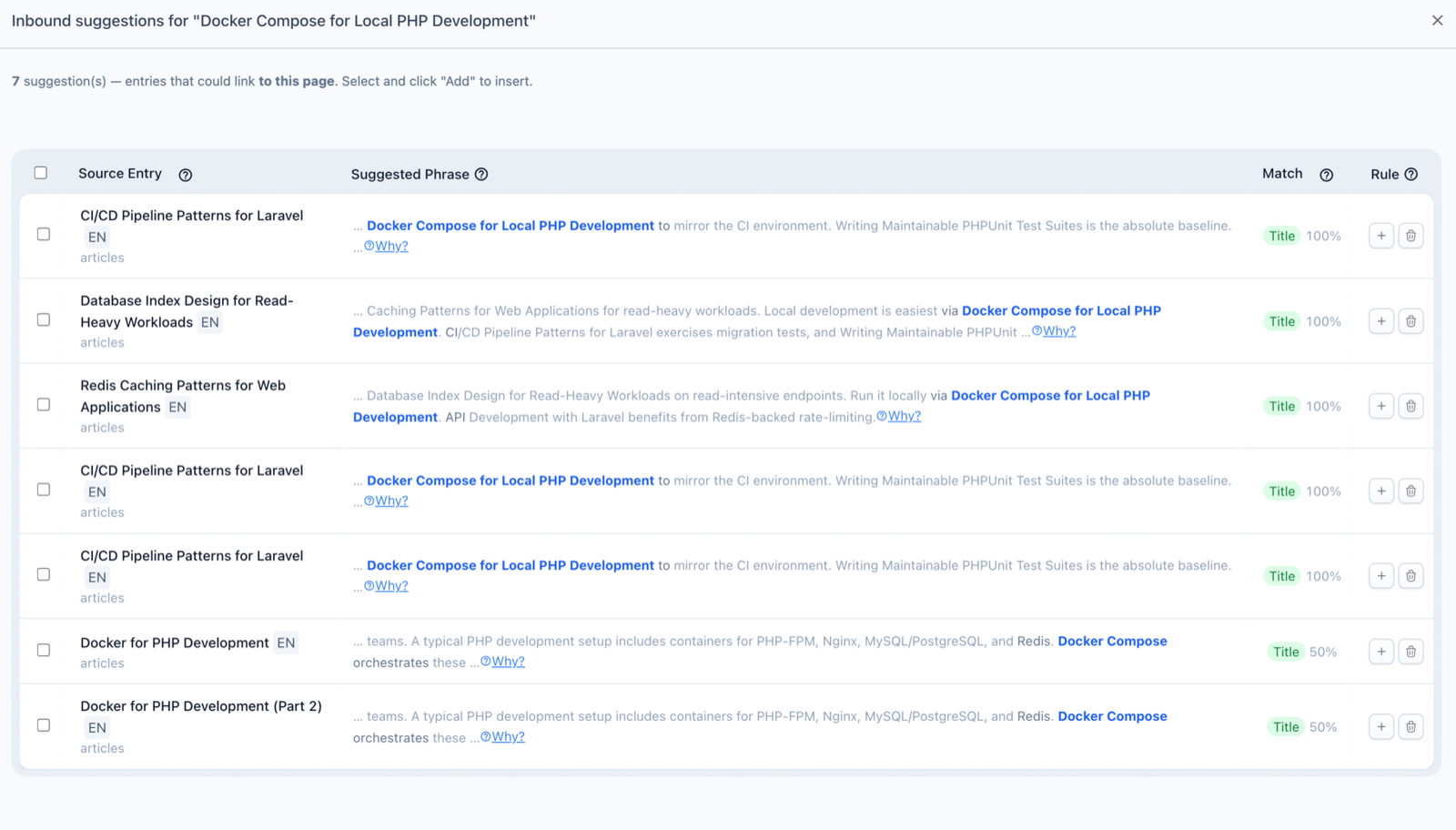
You review candidates in a modal, adjust the anchor text if you want, and insert them one at a time or in bulk. Nothing is inserted automatically — suggestions are proposals.
How it works
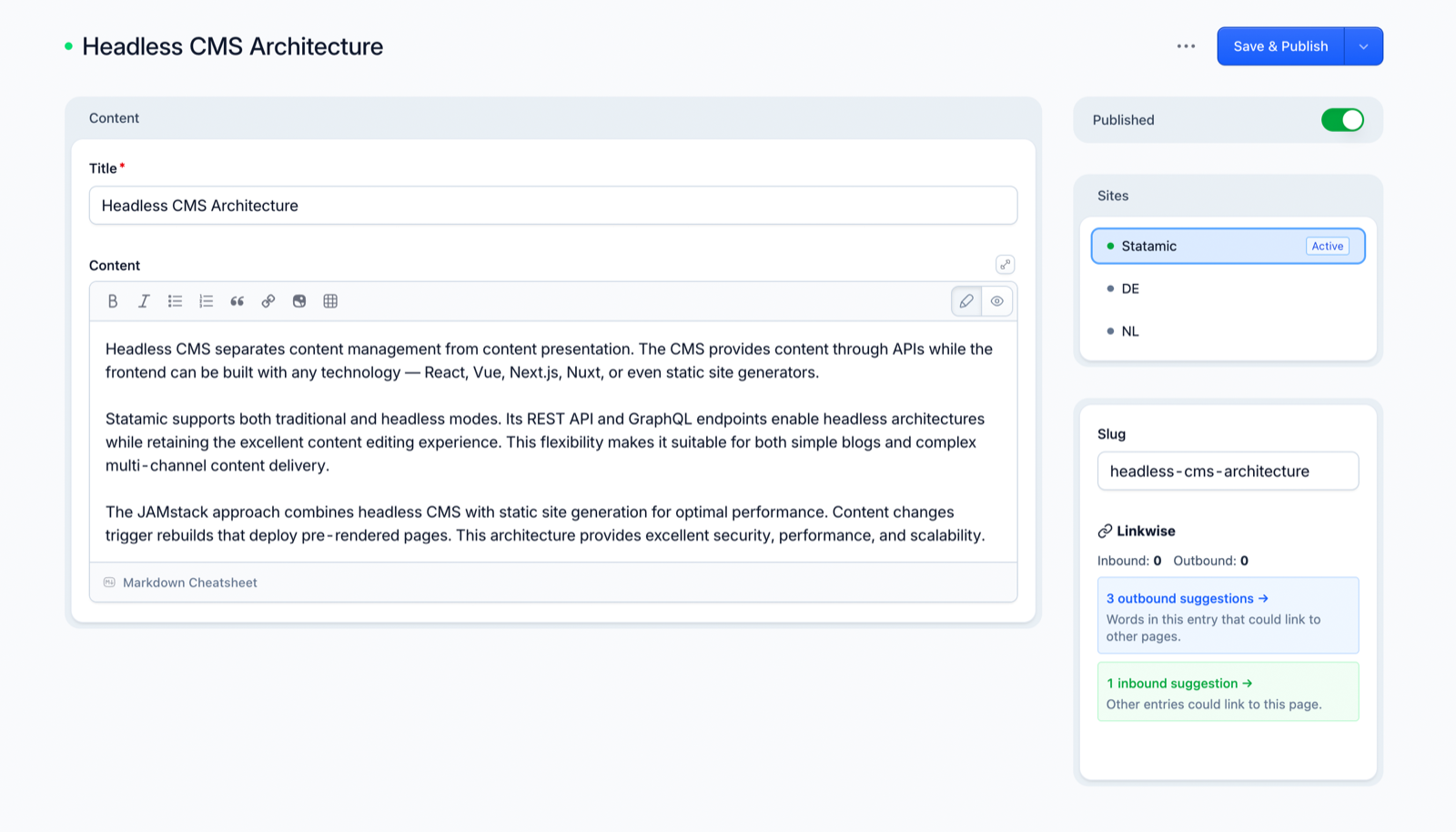
Linkwise scans your indexed content and matches the source text against your other entries on three high-signal sources:
- Title phrases — the words of a target entry's title appearing in the source text.
- Stemmed title variants — plural and inflected forms still match (
recipe/recipes, GermanHaus/Häuser), using a per-language stemmer. - Custom keywords — the custom anchor terms you set on a target entry (brand names, synonyms, codenames).
These three are deliberately precise: Linkwise suggests a link only when there's a concrete title or keyword reason for it, not a fuzzy topical guess. (See the FAQ for why there's no broad "related content" matching — and what's planned.)
A few rules the engine always follows:
- It never suggests an anchor that's already a link. Existing links are left alone.
- On multilingual sites, suggestions are locale-scoped — a German entry only suggests German targets, so you never get a cross-language link.
- Two-way linking can be suppressed (
prevent_two_way) so that if A already links to B, Linkwise won't also suggest B → A.
Using it in the Control Panel
- Open Linkwise → Links Report. Each entry row shows its inbound and outbound suggestion counts.
- Click a suggestion count to open the Suggestions modal for that entry.
- Review each candidate — the target, the anchor text, and the sentence it would link. Edit the anchor inline if needed.
- Insert a single suggestion, or select several and insert them in one bulk operation. Progress shows in the banner; the result lands in the Activity Log.
Settings
| Option | Default | Effect |
|---|---|---|
max_suggestions | 10 | Max candidates shown per entry. |
min_phrase_words | 2 | Shortest title phrase considered a match. |
min_score | 0.4 | Minimum relevance (0–1) for title matches. |
prevent_two_way | false | Suppress reverse-direction suggestions. |
See the Configuration Options reference for the full list.
Notes & limits
- Suggestions are candidates, not automatic changes — you choose what to insert. (For automatic keyword→URL linking, see Auto-Linking.)
- Quality depends on a fresh index — re-run Scan Content after large content changes.