URL Changer
The URL Changer rewrites a URL everywhere it appears on your site in one operation — for domain migrations, restructured paths, or a link target that moved.
What it does
Find every link to an old URL across all your content and replace it with a new one, with a preview of exactly what will change before anything is written.
How it works
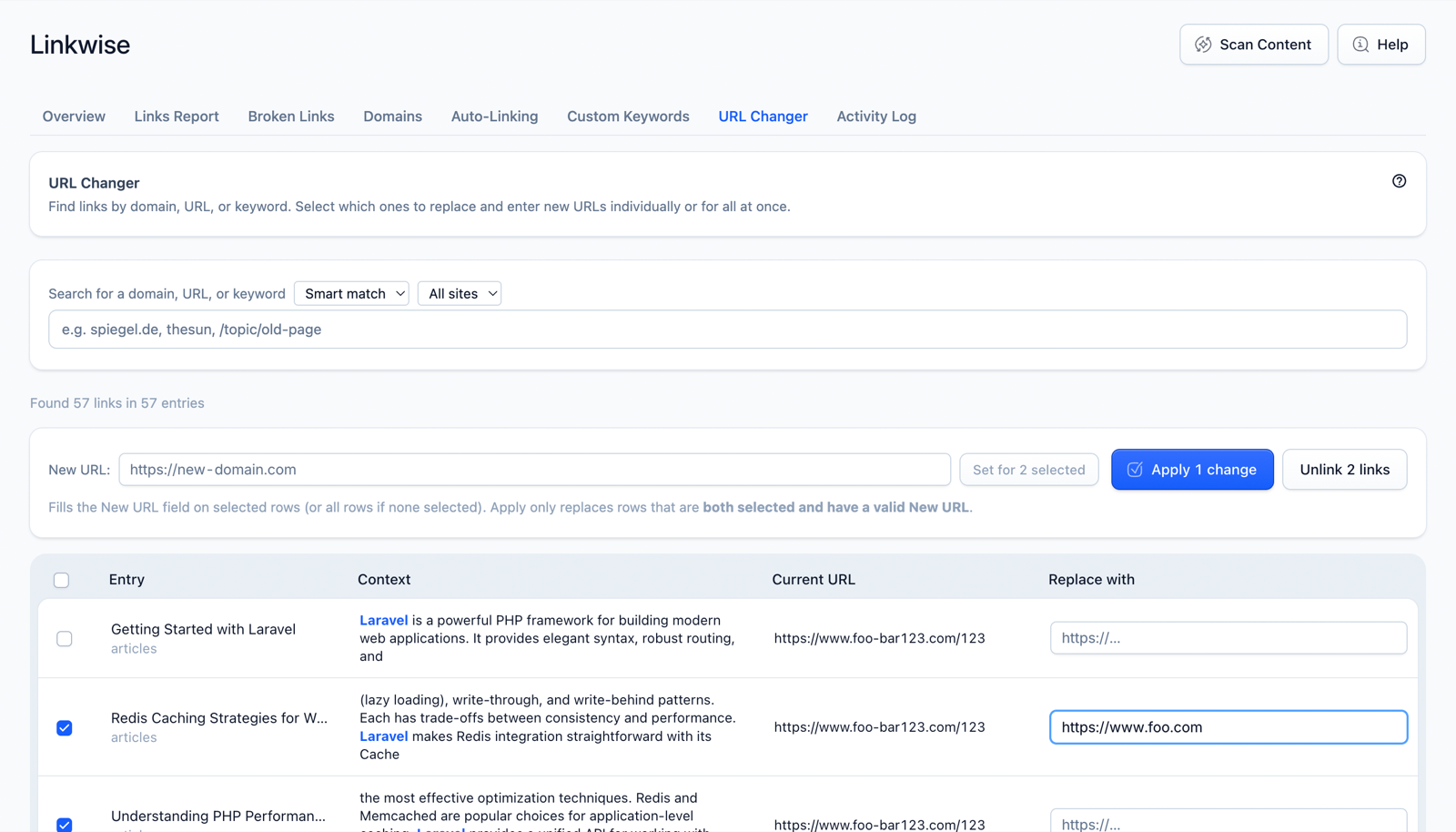
You give it an old URL and a new URL and pick a match mode:
- Smart match (default) — domain- and path-aware. Enter just a domain to match every link to it; enter a path to match that path and anything beneath it. Ideal for migrations ("move everything from
old.example.comto the new domain"). - Exact match — rewrites only links whose URL is an exact, full-string match of what you entered.
Linkwise then shows a preview — every affected entry with a before/after of the link — so you confirm the blast radius first. On apply, it runs as a background job across all matched entries.
Two safety properties:
- Optimistic locking. Each entry carries a content hash from when the preview ran. If another editor saves an entry between preview and apply, that entry is skipped rather than overwritten — concurrent edits are never clobbered.
- Locale scope. On multilingual sites you can restrict the rewrite to one language.
Using it in the Control Panel
- Open Linkwise → URL Changer.
- Enter the old URL and the new URL, choose Smart or Exact match, and (optionally) a locale.
- Click Preview to see every entry and link that would change.
- Apply to run the rewrite in the background. It's cancellable, and the result is recorded in the Activity Log.
Settings
No configuration-file options — match mode (Smart / Exact) and locale scope are chosen per operation in the Control Panel.
Notes & limits
- Always Preview first — it's the safest way to confirm scope on a large site.
- Entries edited by someone else after the preview are skipped, not overwritten; re-run if you need to catch them.
- The URL Changer rewrites links in content; it doesn't create redirects. Pair it with Statamic redirects if you also need old URLs to forward.